
Permission groups and API keys
Overview
A permission group acts as a set of rules for how vaults and their assets can be accessed via API key. Permission groups are created independently of API keys and serve as the business logic layer on top of related API keys. Permission groups determine what read and write permissions are enabled by vault or across multiple vaults.
See API reference for more details.
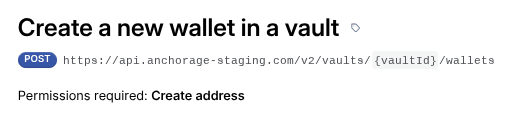
API Permissions Required by API Endpoint
Each API requires a specific permission tied to the permission group and respective API key.
What is an API Permission Group
See User Guide for more details (pw: anchor).
Each permission group has a name, description, and a set of permissions that can be applied to the organization's vaults. Updating, creating, and deleting permission groups requires quorum approval. After admin quorum and Anchorage Digital risk review approval, a permission group can create an unlimited number of API keys. All keys will have the same permissions but can be used by different internal client teams or applications.
When the permission group is updated and quorum approval is reached, all associated API keys will inherit the updated permission set. If a permission group is deleted, all associated API keys will no longer work.
Each organization is created with a default permission group that allows read-only access. This permission group may be modified or deleted at any time, and it is not used to create API keys by default.
By default, Anchorage Digital vaults do not allow API access. To allow programmatic management of addresses, transfers, or read access to balances and transactions, clients will need to:
- Create a permission group with the desired permissions for each vault, or
- Create an API key using the existing default read-only permission group.
No users, regardless of user permission level, can see the actual hexadecimal API key after it is created, so store and secure this accordingly.
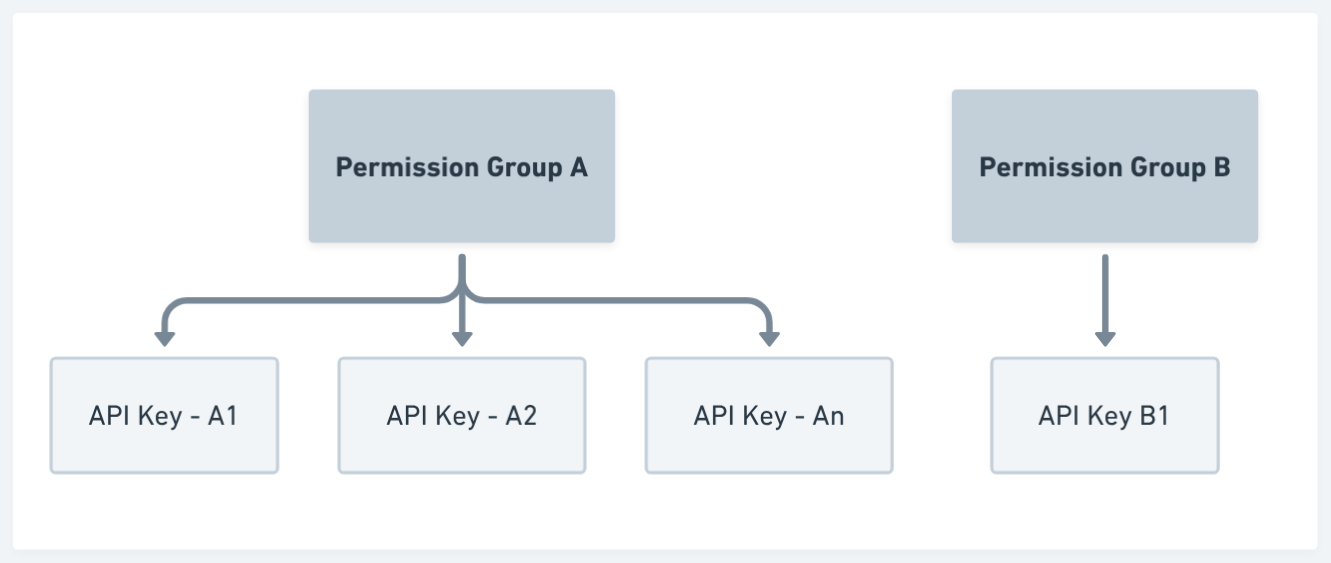
Permission Group SegregationMost clients will create Permission Groups by end user groups or team. For example, a client might create 3 permission groups, and one key for each.
- Admin Permission Group = Full Permissions
- Operations = Limited to Read Balances and Internal Transfer
- Accounting = Read Only
Permission levels
When creating a permission group, you will make several choices that determine what APIs can be called using the API keys associated with this permission group. There are two levels of vault permissions, including:
- Permissions that are set at the organization-level—or global permissions—and apply to all vaults.
- Permissions that only apply to the vaults selected.
Global Permissions
These are permissions that sit across all of your vaults, not just a single vault. Thus, if you have global Withdrawal permissions on your API key, that key could initiate a withdrawal operation (still requires quorum approval) from any of your vaults.
Vault-level Permissions
These are permissions are specific to a single vault. Thus, if you have vault-level Internal Transfer permissions on your API key, that key could initiate a Transfer operation only from that source Vault (or wallets within that vault).
All-vaults
This will enable all current vaults AND any future vaults to inherit this permission. Even if the vault changes names or is under a different account, any key will inherit this permission set.
| Category | Permission | Description | Use Case Specific? |
|---|---|---|---|
| Global | Initiate withdrawals | Initiate withdrawals to external destinations. All withdrawals require quorum approval through the Anchorage Digital mobile app. | |
| Global | Read sub-accounts | View read-only information for ledger subaccounts. | Wealth Management & ETF Only |
| Global | Write sub-accounts | Write to ledger to manage ledger subaccounts. | Wealth Management & ETF Only |
| Global | Execute trades | All Trade Clients: Execute RFQs. Wealth Management Only: Orders, Websocket and FIX trading. | Trading Clients Only. Requires user to be an Authorized Trader. |
| Global | Read trades | Read all trades placed across trading accounts tied to your Org. | |
| Global | Read deposit attribution | Read all pending and completed deposit attributions. | |
| Global | Deposit attribution | Attribute deposits as known deposits or spam. | |
| Global | Configure Webhooks | Configure and manage Webhooks via REST API. | |
| Global | Onboarding | Onboard and manage wealth management end clients. | Wealth Management Only |
| Global | Initiate Staking and Unstaking | Initiate staking and unstaking operations from wallets. | |
| Global | Manage Trusted Destinations | Create and manager trusted destinations. | |
| Global | Manage Collateral Packages | Read collateral management package information. | Collateral Management Only |
| Global | Read Statements | Read statements. | Wealth Management Only |
| Vault-level | Read | Read balances and transactions for the specfic wallets within this vault. | |
| Vault-level | Create Address | Create wallets and addresses within a vault. | |
| Vault-level | Transfer Funds - Transfers within Anchorage Digital | Transfer funds from that source vault. | |
| Vault-level | Transfer Funds - Transfers outside of Anchorage Digital | Transfer funds from that source vault. | |
| Vault-level | Authorize settlements | Authorize Atlas settlement from that source vault. | Atlas Clients Only |
| Vault-level | Propose and accept settlements | Propose and Accept Atlas settlement from that source vault. | Atlas Clients Only |
How to Generate an API Permission Group
To start create a Permission Group, navigate to the Developers - API 2.0 Page.
Read-Only Permission GroupFor read-only API Keys, we have a default Read-only permission group created so you can move right to the API Key creation step.
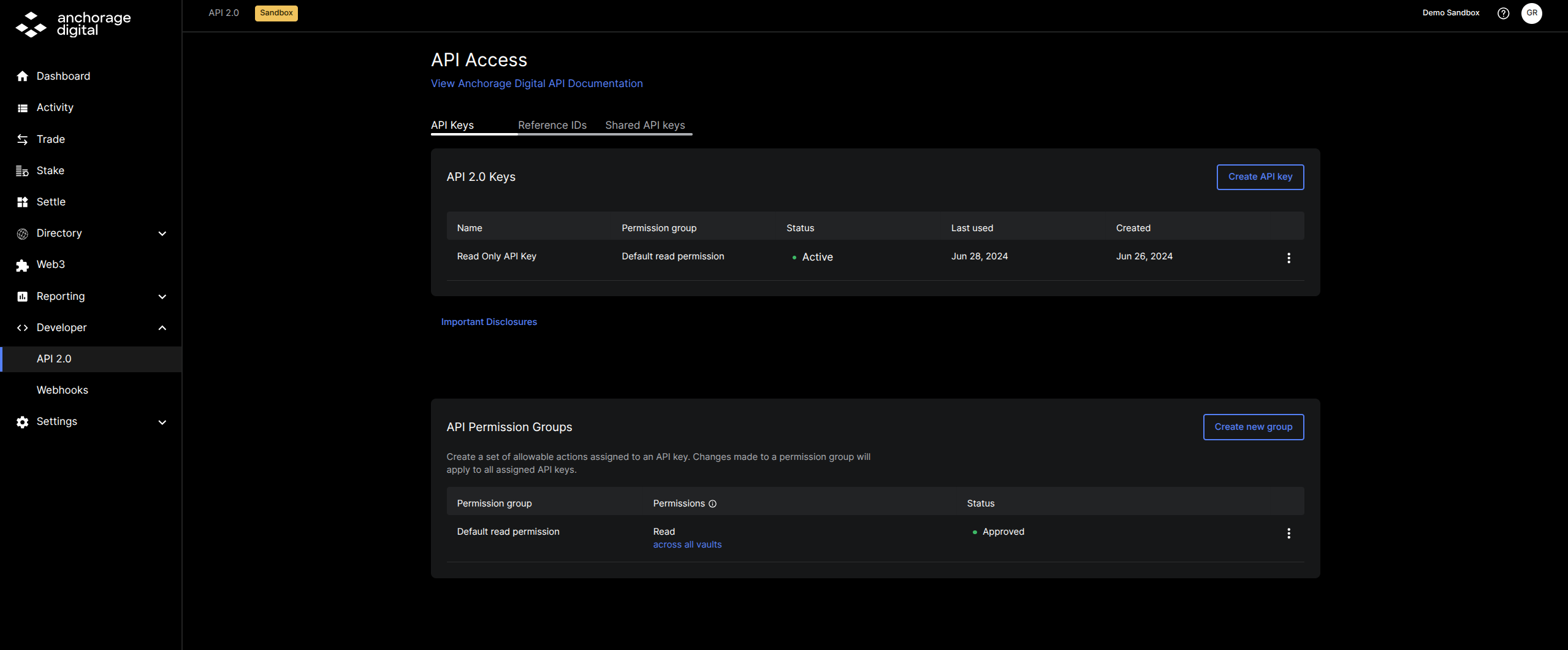
Then, select Create a new group.
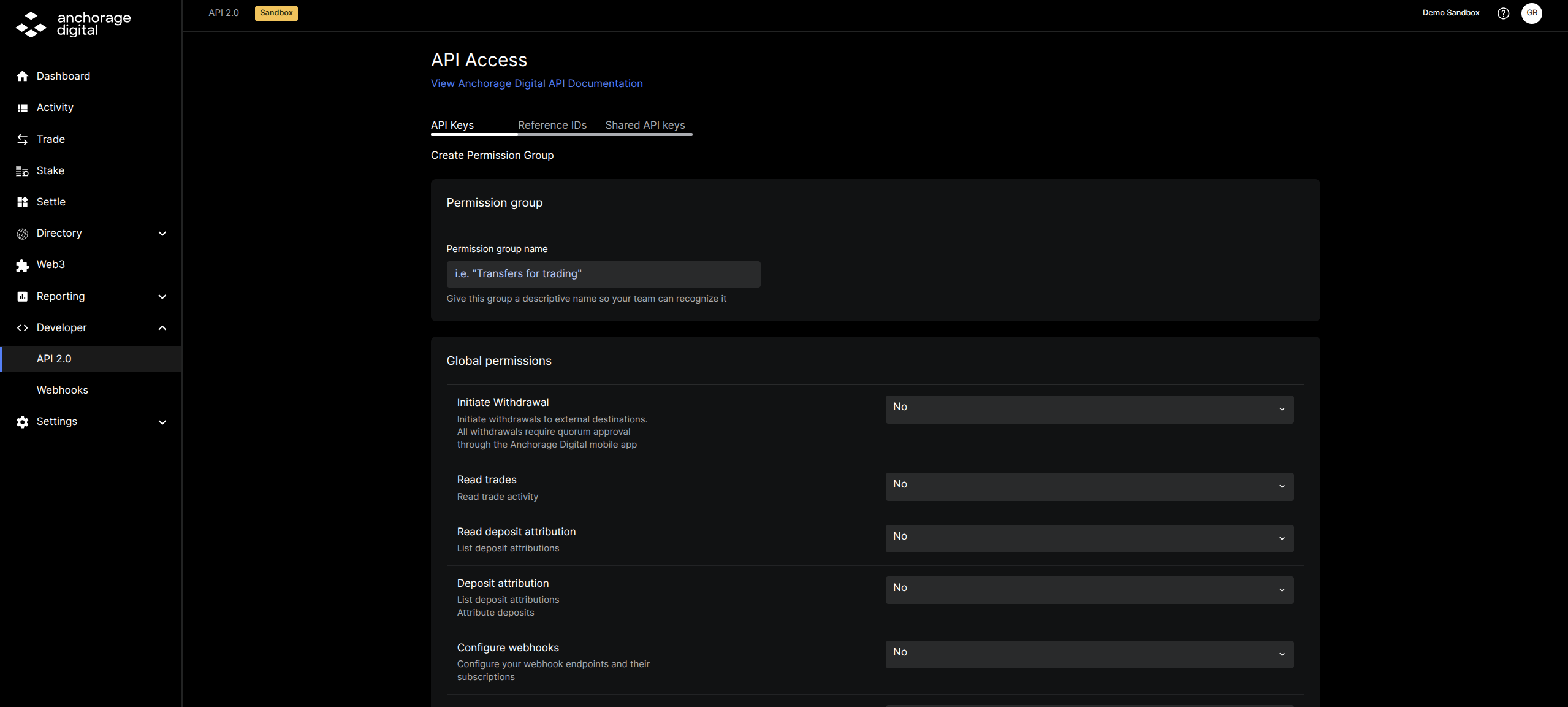
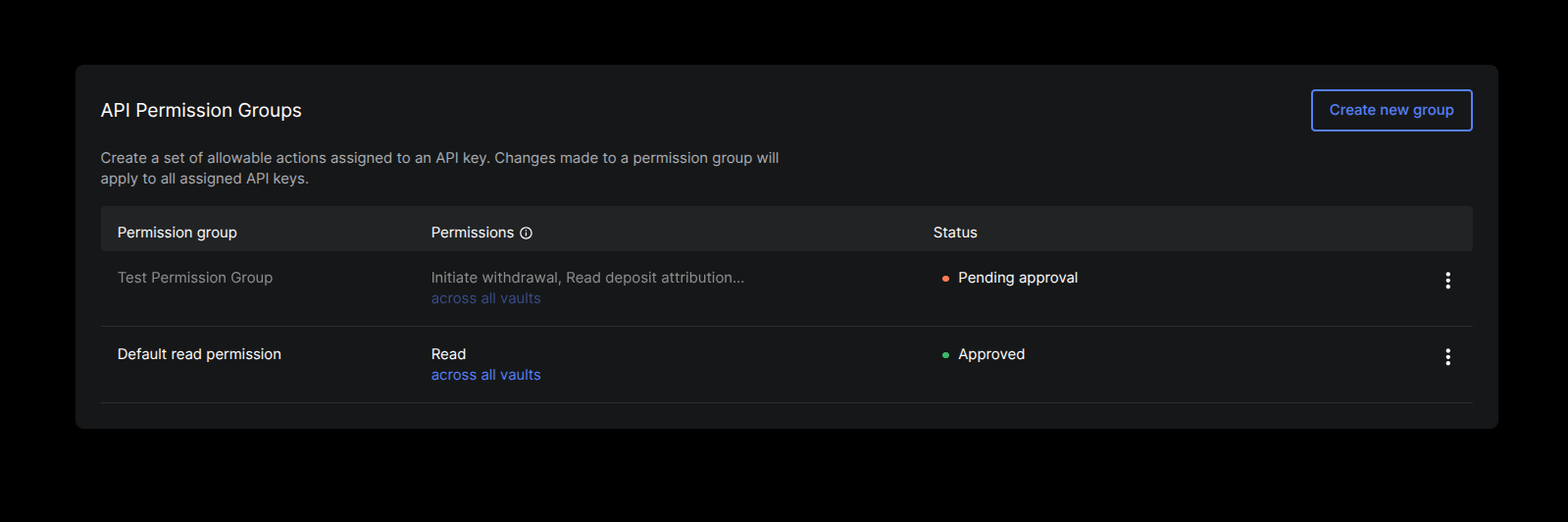
Then, select the necessary permissions, and click Endorse to create a group. You will be required to approve this operation on your iOS device before you move to generate an API Key.
Permission Group - Pending
Edit Existing Permission Group
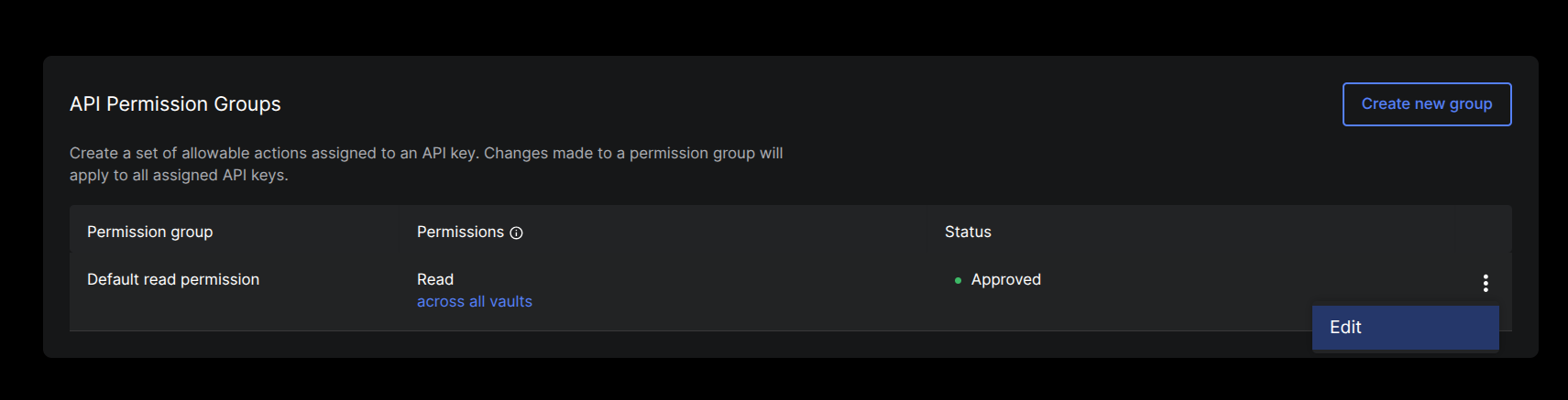
If edits are needed, the Permission Group can be changed at any time. This requires a quorum approval, after which the API keys associated with these permissions will inherit the newly added or reduced permissions.
How to Generate an API Key
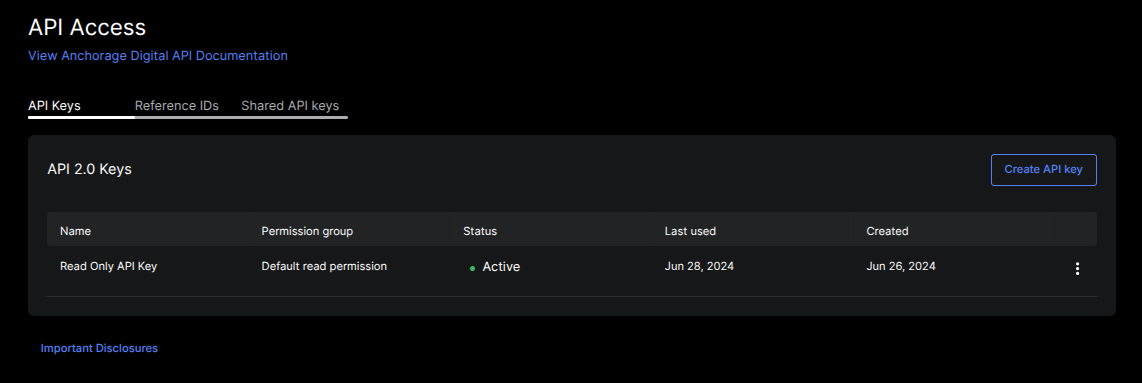
Now that you have your API Permission Group established and approved, navigate to the API 2.0 Page again and client Create API Key.
Generate Ed25519 Key PairAhead of generating an API Key, please generate an API Public & Signing key pair.
- See our example key generation script in our Developer Reference page
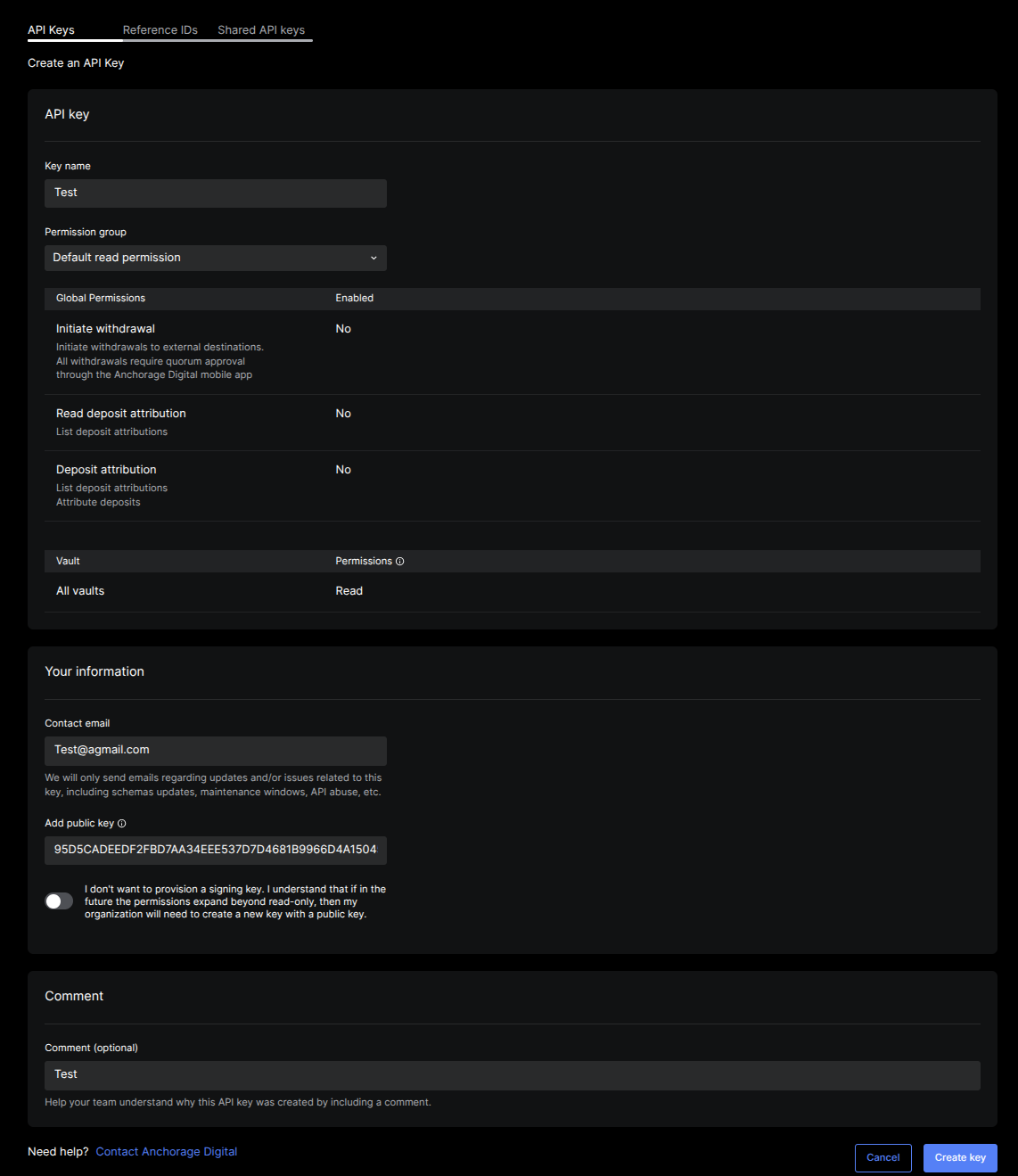
API keys are not accessible again | SAVE THEM IMMEDIATELYImmediately save your API key as soon as they are visible.
Revoke API Keys
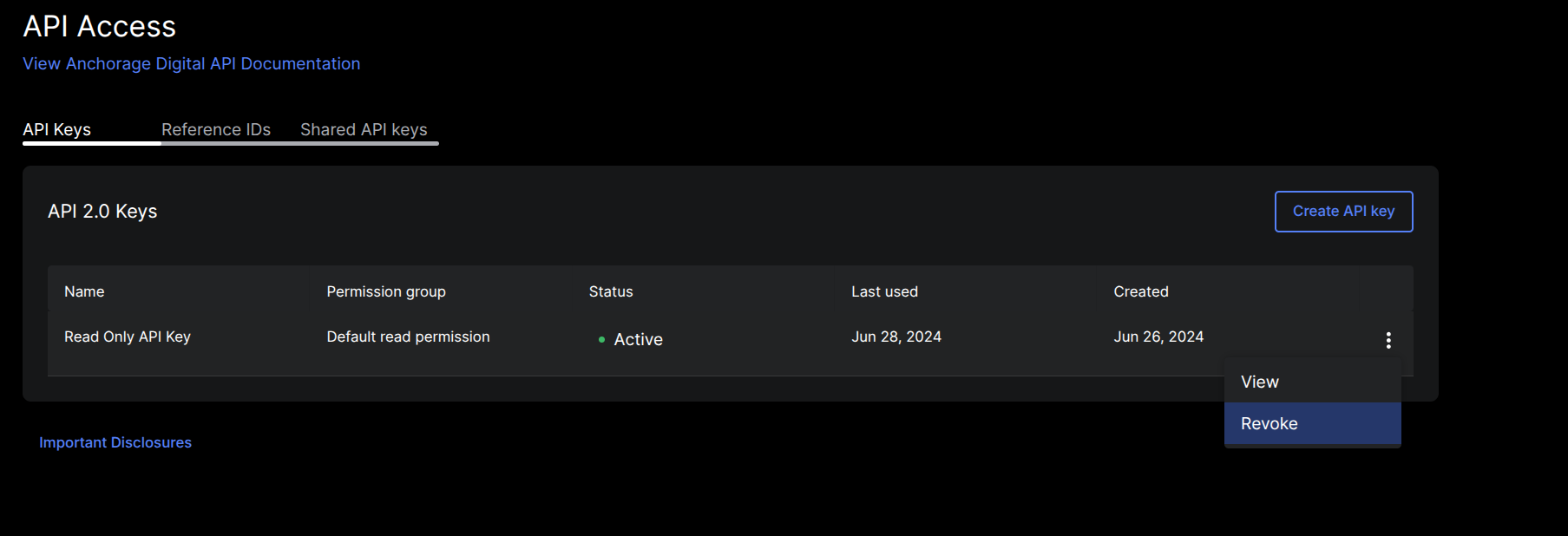
In order to revoke an API key, click Revoke next to the key details. After the key is revoked it cannot be reactivated, so you will need to generate a brand new API key.
Authentication and security
Anchorage Digital’s API performs authentication and authorization via a combination of:
- An API key, which is a bearer token.
- A permission group signed by the user's organization, which is linked to the
API key. - An ED25519 signature, which comes from a user-generated key and is required for certain requests.
Updated about 1 year ago