
6. Statements
Learn about statements and reporting
The wealth management platform has a different set of reports and statements available to wealth managers and their end clients, as this product operates off of the ledger and not our standard custody offering. There are few core concepts to understand for production and sandbox testing:
- API statement Access
- Web dashboard statement access.
- Statement components.
- End client - monthly subaccount statements.
- Wealth managers - monthly statements.
- Trade confirmation statements (per trade).
API statement access (suggested)
- Configure API key with Read Statements permission
- Query List Statements API
- Download Statement using
statementId
Web dashboard statement access
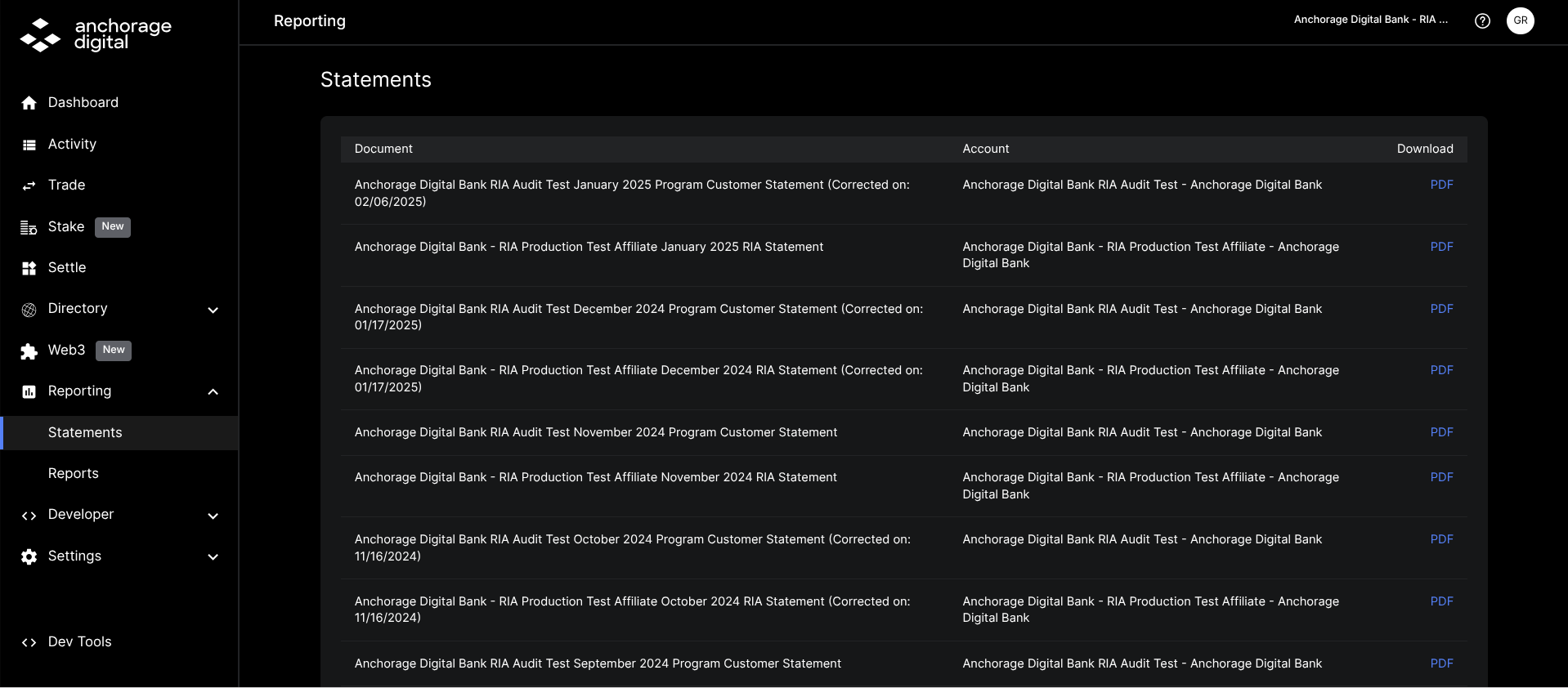
Access all of your wealth manager's or end client's statements on the web dashboard under the Reporting page. These can downloaded by clicking on the PDF icon.
Statement components
- Starting and ending balance totals:
- Holding at the start of the month.
- Holding at the end of the month.
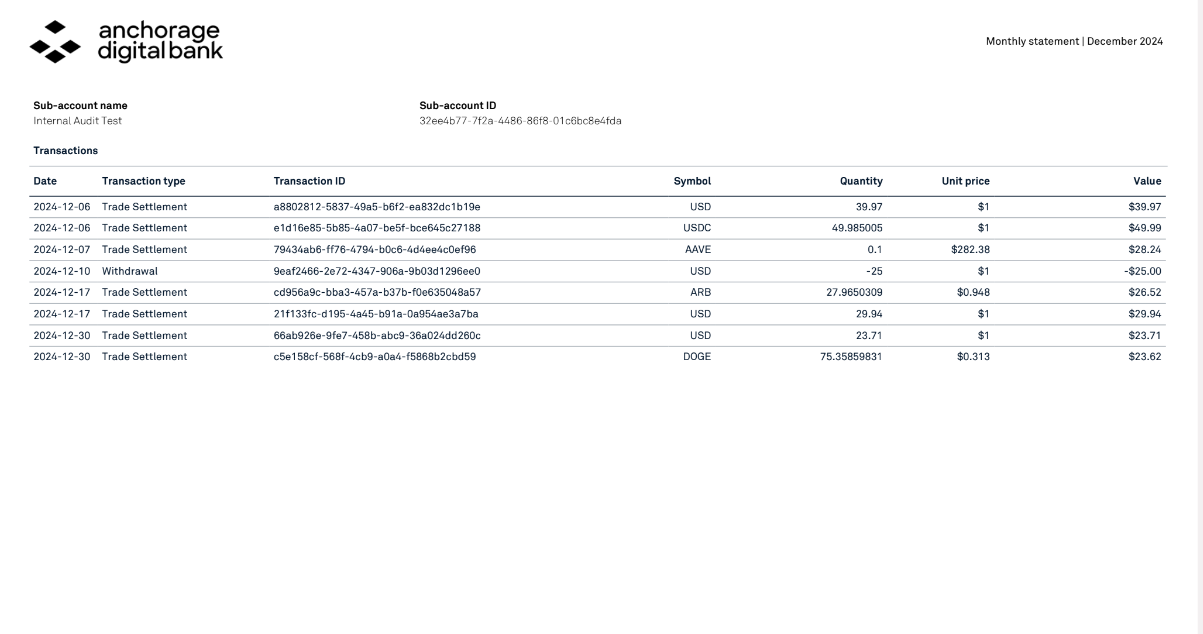
- Transactions by subaccount.
Client: Monthly subaccount statements
Client statement: In accordance with its custody obligations, Anchorage Digital Bank sends monthly statements directly to each end client at the email address collected during due diligence. These cover all transactions and balances by subaccount.
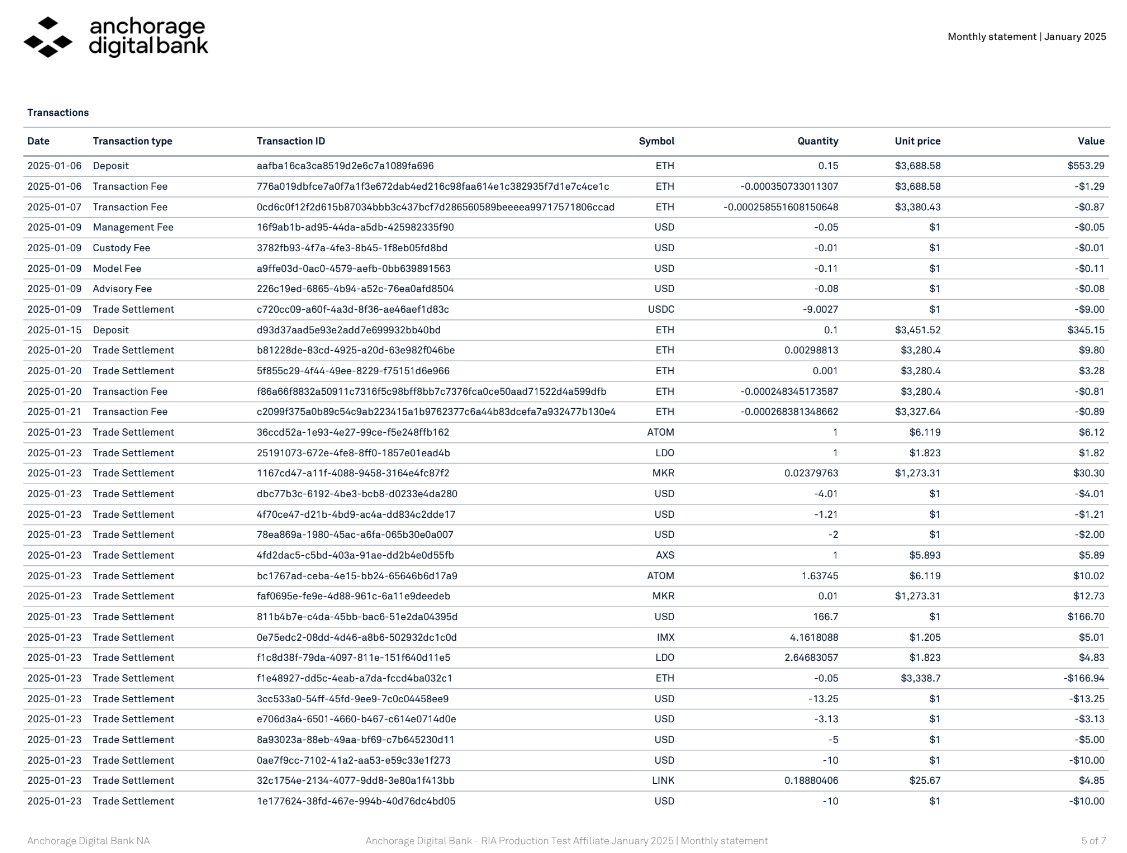
Wealth manager; Monthly subaccount statements
Wealth manager: The wealth manager will also receive statements via email; additionally they are available for download by the wealth manager on the Anchorage Digital web dashboard.
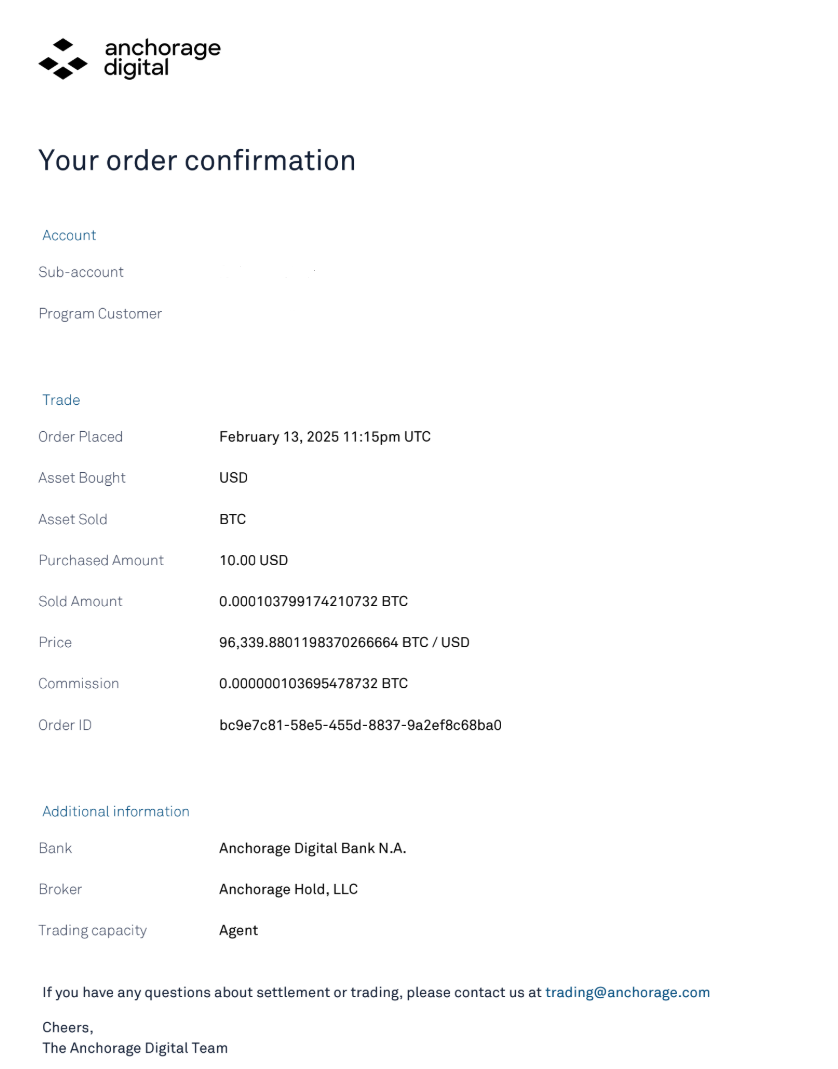
Wealth manager: Client trade confirms
The wealth manager will receive trading confirmations from Anchorage Hold with trading and brokerage fee details. This includes a breakdown of trading settlements across each subaccount. The wealth manager is responsible for disclosing trading fees to the end client(s).
Updated 5 months ago